



Description
Yealink MVC960 – Microsoft Teams Rooms System in Pakistan
Microsoft Teams Rooms System for Extra-large Rooms
Transform your meeting experience with Yealink MVC960 – Microsoft Teams Rooms System now available in Pakistan at an unbeatable price! Upgrade your collaboration game with Access Systems Dealer Pakistan.
Engineer Your Teams Meeting
with Pro-Grade MVC960 Bundle Solution
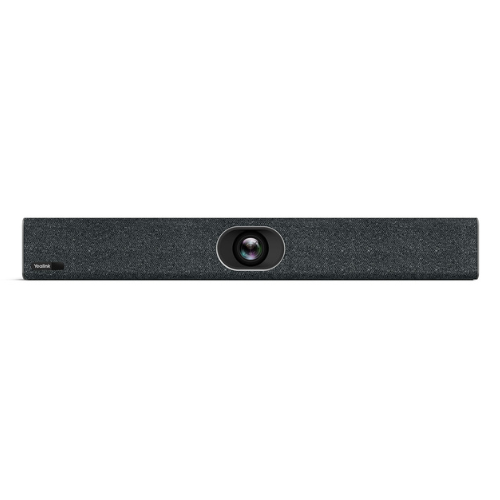
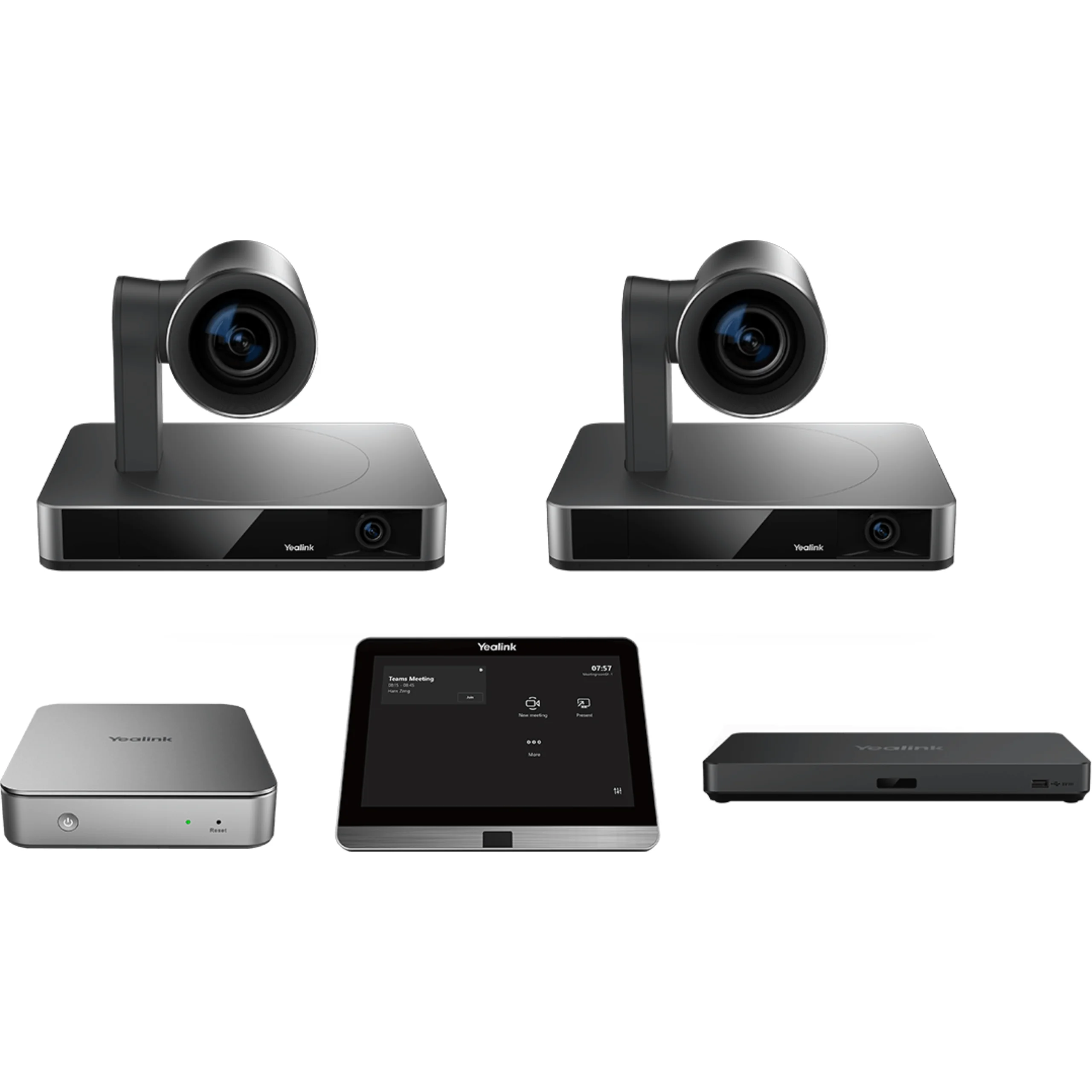
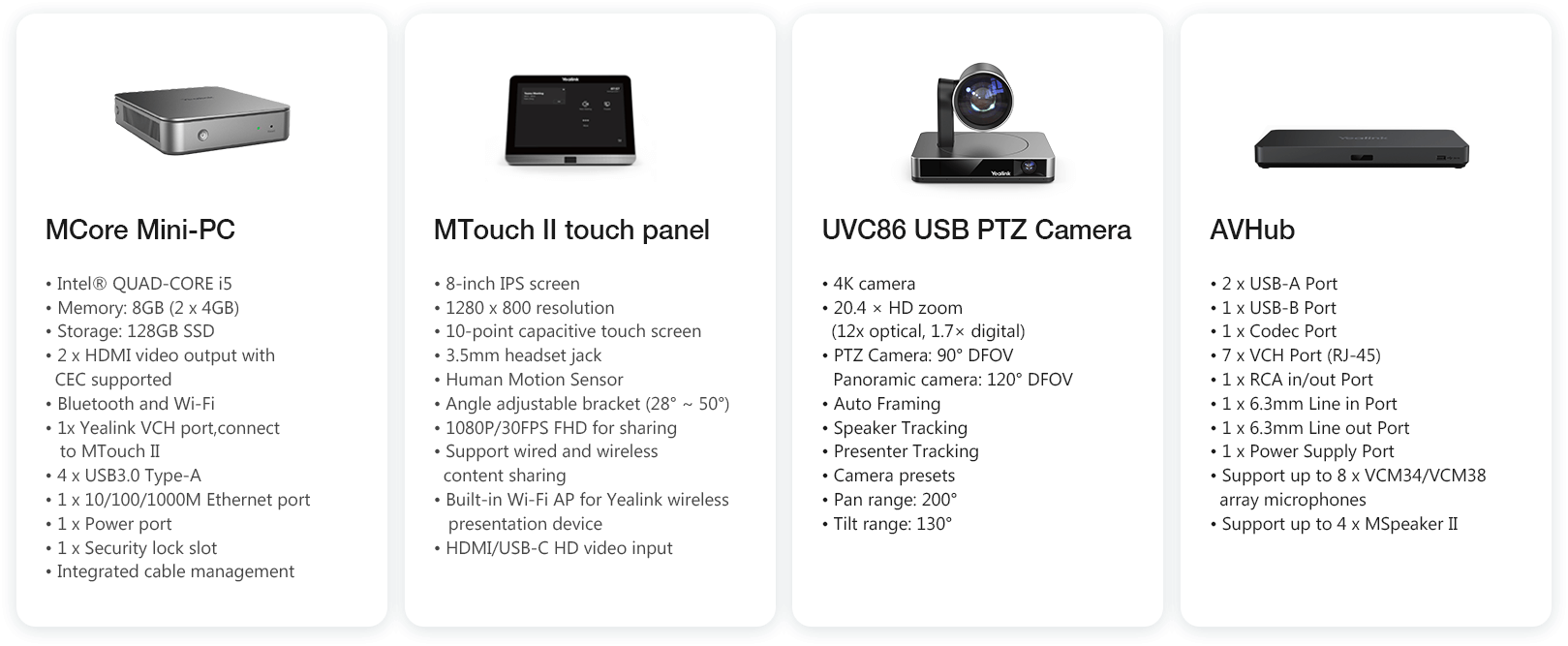
Designed for extra-large rooms, the Yealink MVC960 Microsoft Teams Rooms system is a bundle video solution with UVC86 multi-camera system, MCore mini-PC, MTouch II touch panel and AVHub, bringing a premium Teams meeting experience you need to interact, connect and collaborate with internal and external users seamlessly and intelligently.
Dual 4K Camera
Tracks Every Movement
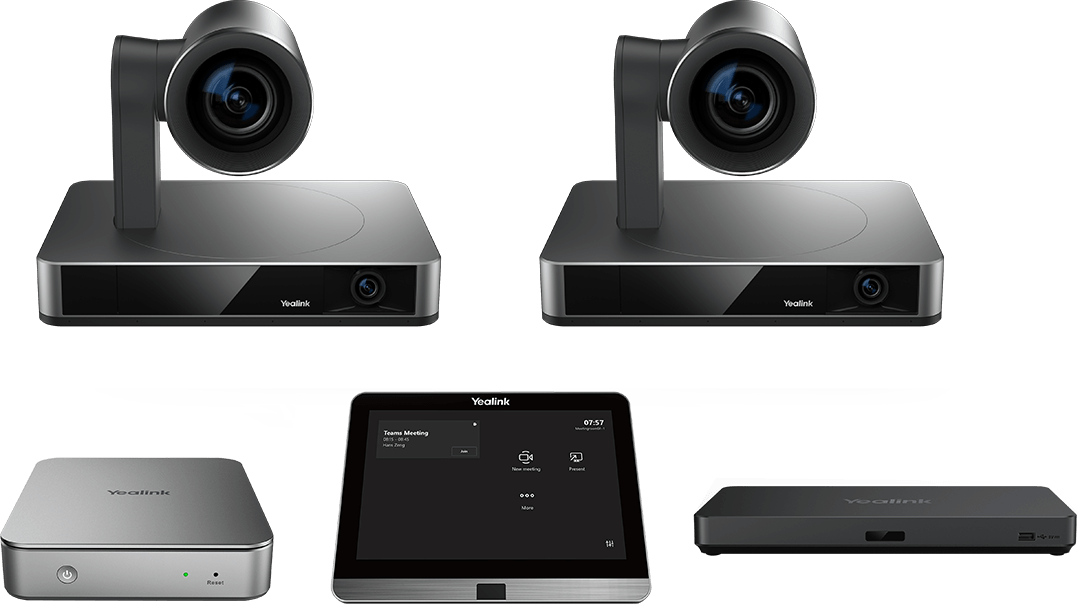
The Yealink UVC86 is a built-in dual-eye 4K conference room camera with a panoramic camera to detect participants in real-time and a PTZ camera that follows you to capture the best picture of everyone in the room. Enjoy an accurate and smooth tracking experience whenever meeting participants are present. Empowered with a range of AI-driven features, including Auto Framing, Speaker Tracking and Presenter Tracking, the UVC86 delivers a smart and effective meeting.
Multi-Camera Solution,
Customized Layout in Any Meeting
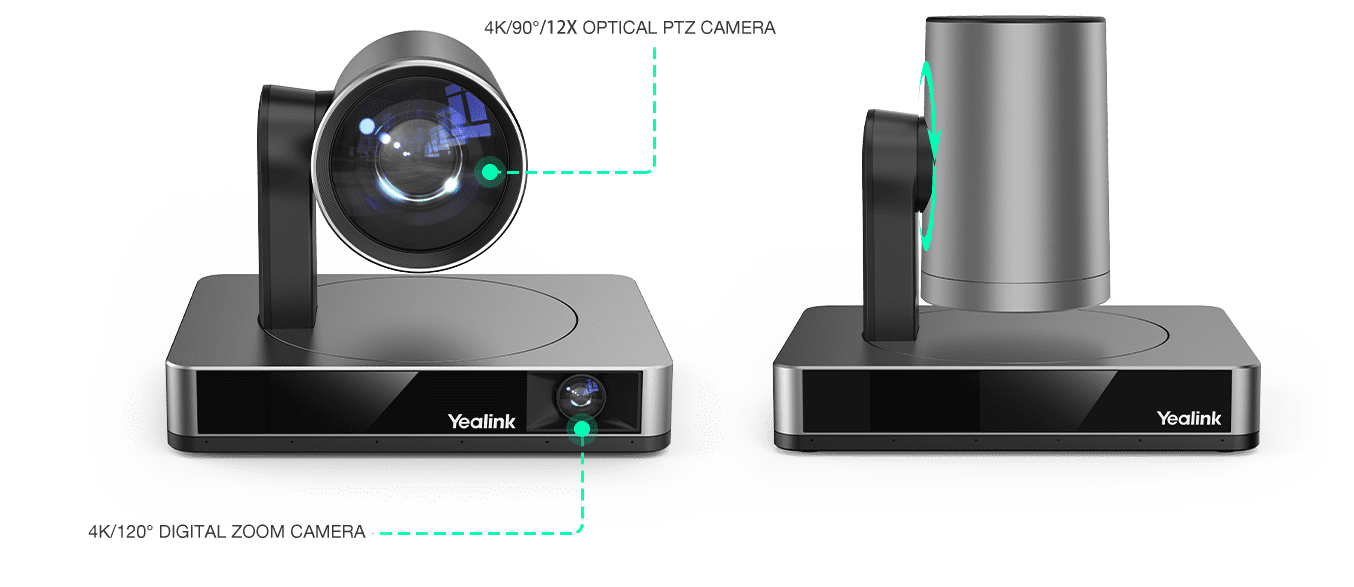
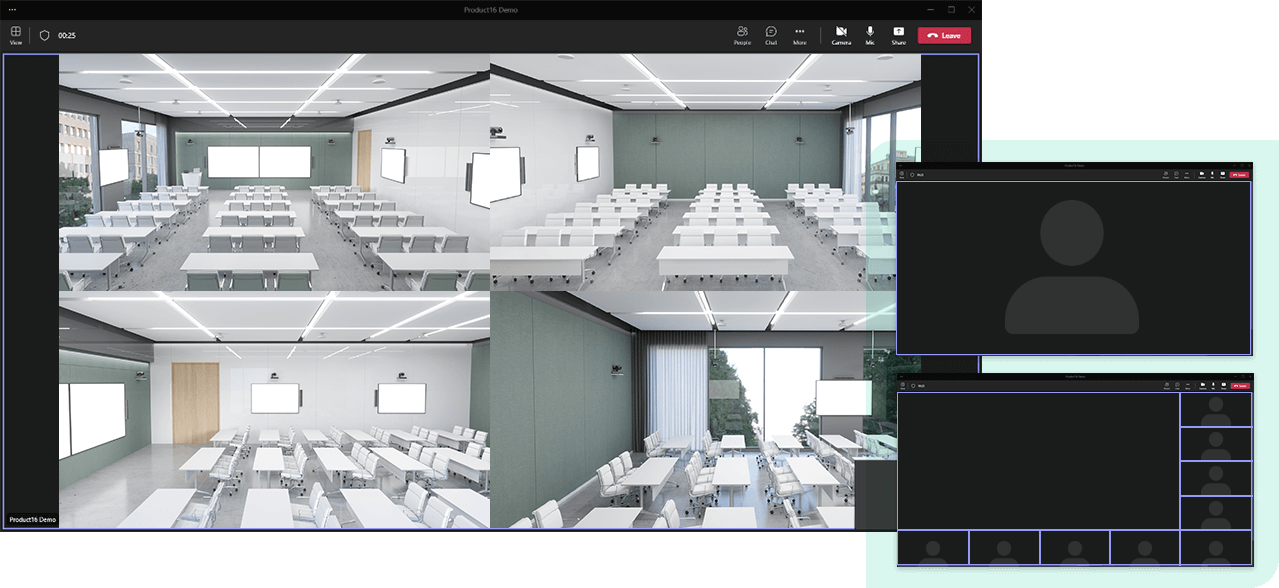
With the AVHub in the bundle, the MVC960 system allows users to enable multiple cameras simultaneously from a single room, better capturing participants and providing different views of the rooms. Moreover, the admin can choose different tracking modes for each camera. In the meantime, remote attendees can view the video feeds of all enabled room cameras in a customized layout, contributing to more industrial scenario applications. Paired with Yealink BYOD Extender, the MVC960 enables multi-camera control even in third-party meetings. All these make Yealink MVC960 a video conferencing equipment for large rooms.
Flexible Audio Solution
Fits Particular Needs
Yealink MVC960 system brings more flexibility to the audio solutions. Users can choose any Yealink voice devices for Microsoft Teams including Yealink VCM34 microphone, VCM38 ceiling microphone, and the MSpeaker II or audio solution from the mainstream third-party providers including Shure, Biamp, etc. for particular needs.
AI-Enabled Chipset,
Infinite Possibilities for Future Applications
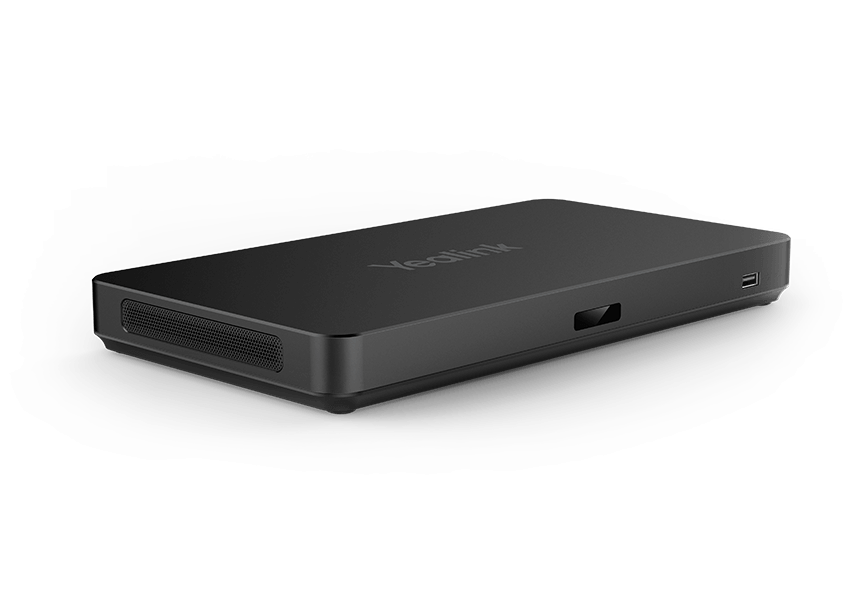
Yealink AVHub can be used with multiple UVC86s to provide a multi-camera solution with the feature of the camera, camera that follows you help audience engaging more during the conference. Equipped with a powerful AI-enabled chipset, AVHub empowers the new MVC960 bundle great scalability in future applications including together mode in Microsoft Teams. The AVHub enables direct audio and video processing, reducing the operational burden of Mcore.
Multi-mounting Options
Simplified Connections
The MCore mini-PC can be set up according to a particular room layout. Mounting on the wall, sticking to the table can be realized. Also, in all Yealink MVC room systems, the MCore cable management solution integrates data and power supply into one CAT5e cable. Moreover, only one USB cable is needed connecting Mcore and all audio and video devices with AVHub, greatly saving deployment effort and time.
One-Click to Share
Users can enjoy easy content sharing by plugging in the Yealink WPP20 with one click to share the screen wirelessly or connecting the laptop to the meeting through the USB-C or HDMI port. In the Yealink MVC Microsoft Teams Room systems, all participants have the flexibility of choosing either wireless or wired ways of content sharing.
Remote Management
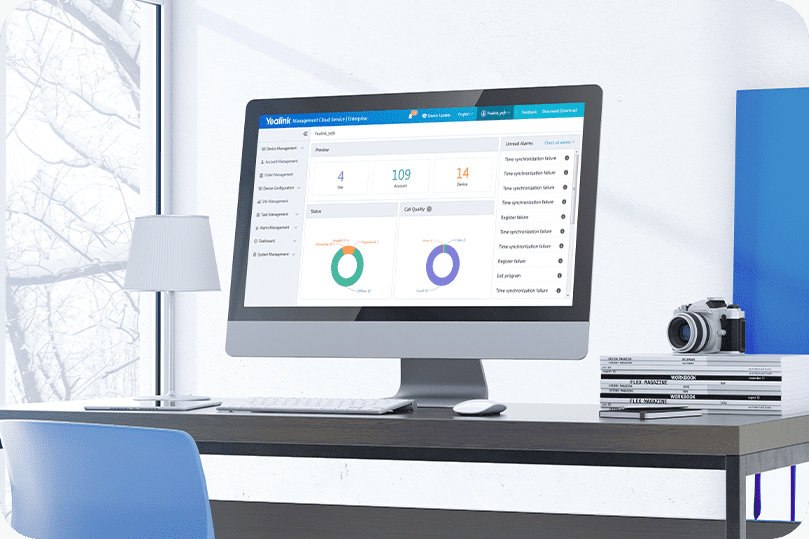
Yealink MVC series video solution supports the Yealink Device Management Platform/Cloud Service. You can manage, monitor, configure, update and diagnose all Yealink audio and video devices and peripherals on this platform remotely.
Yealink MVC960 Specifications
Additional information
| Camera Resolution |
4K |
|---|---|
| Brands |
Yealink |
| Connectivity |
Bluetooth, Wi-Fi, Wired |
| Video Conferencing |
Camera, Mics, Speakers |
| Network Ports |
HDMI, USB |
Reviews (0)
Only logged in customers who have purchased this product may leave a review.
Description
Yealink MVC960 – Microsoft Teams Rooms System in Pakistan
Microsoft Teams Rooms System for Extra-large Rooms
Transform your meeting experience with Yealink MVC960 – Microsoft Teams Rooms System now available in Pakistan at an unbeatable price! Upgrade your collaboration game with Access Systems Dealer Pakistan.
Engineer Your Teams Meeting
with Pro-Grade MVC960 Bundle Solution
Designed for extra-large rooms, the Yealink MVC960 Microsoft Teams Rooms system is a bundle video solution with UVC86 multi-camera system, MCore mini-PC, MTouch II touch panel and AVHub, bringing a premium Teams meeting experience you need to interact, connect and collaborate with internal and external users seamlessly and intelligently.
Dual 4K Camera
Tracks Every Movement
The Yealink UVC86 is a built-in dual-eye 4K conference room camera with a panoramic camera to detect participants in real-time and a PTZ camera that follows you to capture the best picture of everyone in the room. Enjoy an accurate and smooth tracking experience whenever meeting participants are present. Empowered with a range of AI-driven features, including Auto Framing, Speaker Tracking and Presenter Tracking, the UVC86 delivers a smart and effective meeting.
Multi-Camera Solution,
Customized Layout in Any Meeting
With the AVHub in the bundle, the MVC960 system allows users to enable multiple cameras simultaneously from a single room, better capturing participants and providing different views of the rooms. Moreover, the admin can choose different tracking modes for each camera. In the meantime, remote attendees can view the video feeds of all enabled room cameras in a customized layout, contributing to more industrial scenario applications. Paired with Yealink BYOD Extender, the MVC960 enables multi-camera control even in third-party meetings. All these make Yealink MVC960 a video conferencing equipment for large rooms.
Flexible Audio Solution
Fits Particular Needs
Yealink MVC960 system brings more flexibility to the audio solutions. Users can choose any Yealink voice devices for Microsoft Teams including Yealink VCM34 microphone, VCM38 ceiling microphone, and the MSpeaker II or audio solution from the mainstream third-party providers including Shure, Biamp, etc. for particular needs.
AI-Enabled Chipset,
Infinite Possibilities for Future Applications
Yealink AVHub can be used with multiple UVC86s to provide a multi-camera solution with the feature of the camera, camera that follows you help audience engaging more during the conference. Equipped with a powerful AI-enabled chipset, AVHub empowers the new MVC960 bundle great scalability in future applications including together mode in Microsoft Teams. The AVHub enables direct audio and video processing, reducing the operational burden of Mcore.
Multi-mounting Options
Simplified Connections
The MCore mini-PC can be set up according to a particular room layout. Mounting on the wall, sticking to the table can be realized. Also, in all Yealink MVC room systems, the MCore cable management solution integrates data and power supply into one CAT5e cable. Moreover, only one USB cable is needed connecting Mcore and all audio and video devices with AVHub, greatly saving deployment effort and time.
One-Click to Share
Users can enjoy easy content sharing by plugging in the Yealink WPP20 with one click to share the screen wirelessly or connecting the laptop to the meeting through the USB-C or HDMI port. In the Yealink MVC Microsoft Teams Room systems, all participants have the flexibility of choosing either wireless or wired ways of content sharing.
Remote Management
Yealink MVC series video solution supports the Yealink Device Management Platform/Cloud Service. You can manage, monitor, configure, update and diagnose all Yealink audio and video devices and peripherals on this platform remotely.
Yealink MVC960 Specifications
Additional information
| Camera Resolution |
4K |
|---|---|
| Brands |
Yealink |
| Connectivity |
Bluetooth, Wi-Fi, Wired |
| Video Conferencing |
Camera, Mics, Speakers |
| Network Ports |
HDMI, USB |


Reviews
There are no reviews yet.